
 Phantomll Candlestick Analytics
 TempleGuard Session Indicator
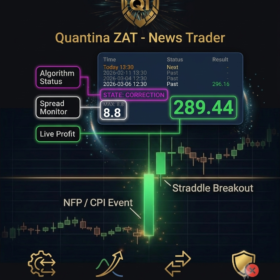 Quantina ZAT News Trader cBot
£50 for one setup session of up to 2 hours
The £50 session may finish sooner if the agreed setup is complete. Any work beyond 2 hours will be discussed and priced separately before we continue. Software licences, broker fees and other third-party charges are not included.
MetaTrader and cTrader setup support from Quantina helps you install, configure and understand trading software and copier tools on a compatible platform. We provide practical technical guidance so you can manage your own broker account, software settings and decisions.
Ask about setup support | See News Trader software setup support
Technical help for your trading platform
Getting a trading platform or copier ready can involve installation, compatibility checks and unfamiliar settings. We can discuss your setup and provide agreed technical assistance for MetaTrader 4 (MT4), MetaTrader 5 (MT5) or cTrader, depending on the software and requirements involved.
What we can help with
- Platform installation: guidance to install or update a compatible MetaTrader or cTrader application on your supported device.
- Software setup: help loading and configuring compatible applications, indicators or copier tools.
- Connection checks: explain platform status, server connection indicators and basic technical checks.
- Automation settings: walk through available settings for automated or partly automated tools, where supported.
- VPS and uptime basics: explain the role of hosted environments and what to check if software needs to run continuously.
- Logs and troubleshooting: help you locate platform logs and understand common technical messages.
- Getting-started guidance: explain the technical steps involved in opening and using a platform, while you retain control of your account.
Our setup process
- Tell us which platform, device and application you are using and what you want help with.
- We review compatibility and explain the proposed support scope and any applicable fee before work starts.
- We arrange an agreed remote session and guide you through the installation or configuration steps.
- We show you how to check the software status and where to find basic troubleshooting information.
- We provide any agreed follow-up and next steps. You operate your own account and decide whether to use the software.
Account security and control
Your broker account and money remain under your control. We do not need your trading password, broker login or payment card information to provide technical guidance. Do not share passwords or one-time security codes during a remote support session. Before any session, we will explain what access, if any, is needed for the technical task.
Technical support is not trading advice
Our installation and configuration help concerns software and platform operation. It does not assess whether a trade or strategy is suitable for you, manage your money or guarantee any trading outcome. Trading financial markets carries risk; automation can place orders quickly and does not eliminate market, execution or technical risks. You may lose some or all of the funds in your trading account.
Frequently asked questions
Do you support MT4, MT5 and cTrader?
We can discuss technical support for these platforms. The exact scope depends on the software, broker environment, device and compatibility requirements.
Can you help with an automated application?
Yes, we can explain technical installation and available configuration options for supported applications. Whether a tool is fully automated or partly automated depends on that product and its settings.
Do I need a VPS?
Some workflows may use a VPS or other hosted environment for continuous operation. Requirements vary by software and platform. We can explain the technical options, but you should check the product and broker requirements before choosing a setup.
Can you promise the software will make money?
No. Setup support cannot guarantee a profitable result. Trading outcomes are uncertain, and past performance does not predict future performance.
Request platform setup help
Send us your platform name and version, device type, the application you want to install, and a short description of the issue. We will confirm whether we can assist and explain the next steps and any costs.
Contact Quantina for MetaTrader or cTrader support. For the News Trader application, visit our News Trader setup page.
Risk warning: Trading foreign exchange and other leveraged products involves significant risk and may not be suitable for everyone. You may lose some or all of your invested capital. This page describes technical platform support and is not personal investment advice or a recommendation to trade.