
 Phantomll Candlestick Analytics
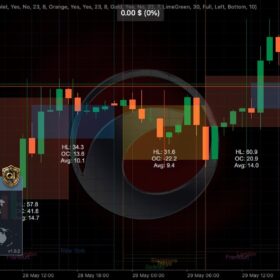 TempleGuard Session Indicator
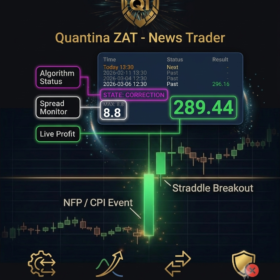 Quantina ZAT News Trader cBot
News Trader software setup from Quantina provides practical help installing and configuring the Quantina ZAT Forex News Trader cBot for cTrader. We help you understand the setup, available automation options and how to monitor the application on a compatible cTrader environment.
View the News Trader cBot in our Shop | Ask about setup support
About the News Trader cBot
The Quantina ZAT Forex News Trader is a cTrader cBot designed to support trading around scheduled economic news events. News releases can cause sharp price movements, wider spreads, delayed execution and slippage. Please read the current Shop listing to check the product’s features, supported cTrader version, technical requirements, licence and terms before purchase.
Hands-on installation and setup support
We help you get familiar with the technical setup so you know what is installed, where it runs and how to check its status. Depending on the product version and agreed scope, remote support may include:
- Requirements check: review your cTrader version, device and intended workflow against the product requirements.
- Installation guidance: help you access and load the cBot in a compatible cTrader environment.
- Configuration walkthrough: explain the available settings and help you apply a setup you understand.
- Automation walkthrough: where supported by the product, explain fully automated or partly automated operation and the controls available to you.
- Monitoring and troubleshooting: show you where to check application status and logs and help investigate technical setup issues.
- Follow-up: remain available during the initial live-use period to review setup and answer agreed technical questions. Support is about installation and use; it does not depend on or promise a profitable month.
How setup works
- Review the product details in our Shop and check that the cBot matches your platform and requirements.
- Contact us with your cTrader version, device and setup questions. Never send broker passwords or account credentials.
- We confirm the support scope, technical requirements and any applicable costs before you proceed.
- We arrange a remote session to guide installation and configuration, then explain how to monitor the application.
- You decide whether and when to use the software on your own account. You remain in control of your account and trading decisions.
What our support covers
This is technical software installation and user support. Depending on the agreed scope, it can cover compatibility checks, installation guidance, configuration explanations, cTrader operation and troubleshooting. We do not take custody of client funds, request broker passwords or manage your trading account through this setup service.
Risk and performance
Automated trading does not remove market or execution risk. News-related trading can be highly volatile; spreads may widen, orders may be delayed or filled at different prices, and technical interruptions can affect operation. Depending on the selected mode, software may place trades without a person confirming each one. You could lose some or all of the money in your trading account. Past results do not predict future performance. No software, configuration or support service can guarantee a profitable month.
Only use software and trading funds you understand and can afford to lose. Read the product information, terms and risk details before buying or enabling live trading. Consider learning the workflow in a demo environment first if appropriate for your circumstances.
Frequently asked questions
Is the News Trader cBot fully automated?
Automation options depend on the product version and its available settings. The cBot may be used in fully automated or partly automated ways where supported. Check the current Shop listing or ask us to confirm the options before purchase.
Will Quantina help install it?
We provide agreed remote setup assistance and explain the installation steps. The exact process depends on your cTrader environment and the product requirements. You should not share your trading password or broker login.
How long does support continue?
We agree the support scope with you before work begins and can provide follow-up during the initial live-use period. The support period is for technical assistance and is not tied to account performance.
Do you guarantee a profitable first month?
No. Trading outcomes are uncertain. We can support the software setup and help you understand its operation, but we cannot guarantee that trades or any month will be profitable.
Ask us about News Trader setup
Tell us which cTrader version and device you use, whether you want a fully or partly automated workflow, and what setup help you need. We will explain the next steps and confirm any applicable charges before you decide.
Contact Quantina about News Trader setup or view the News Trader cBot in our Shop.
Risk warning: Trading foreign exchange and other leveraged products involves significant risk and may not be suitable for everyone. You may lose some or all of your invested capital. Software automation does not remove market, execution or technical risk. This page describes technical software support and is not personal investment advice or a recommendation to trade.